Here’s a step-by-step guide to help you add markers to the map, and navigate some of SafeScape’s features.
- To start, select a marker type by clicking on one of the buttons above the map. You can add either a ‘safe space’ or an ‘unsafe area’.
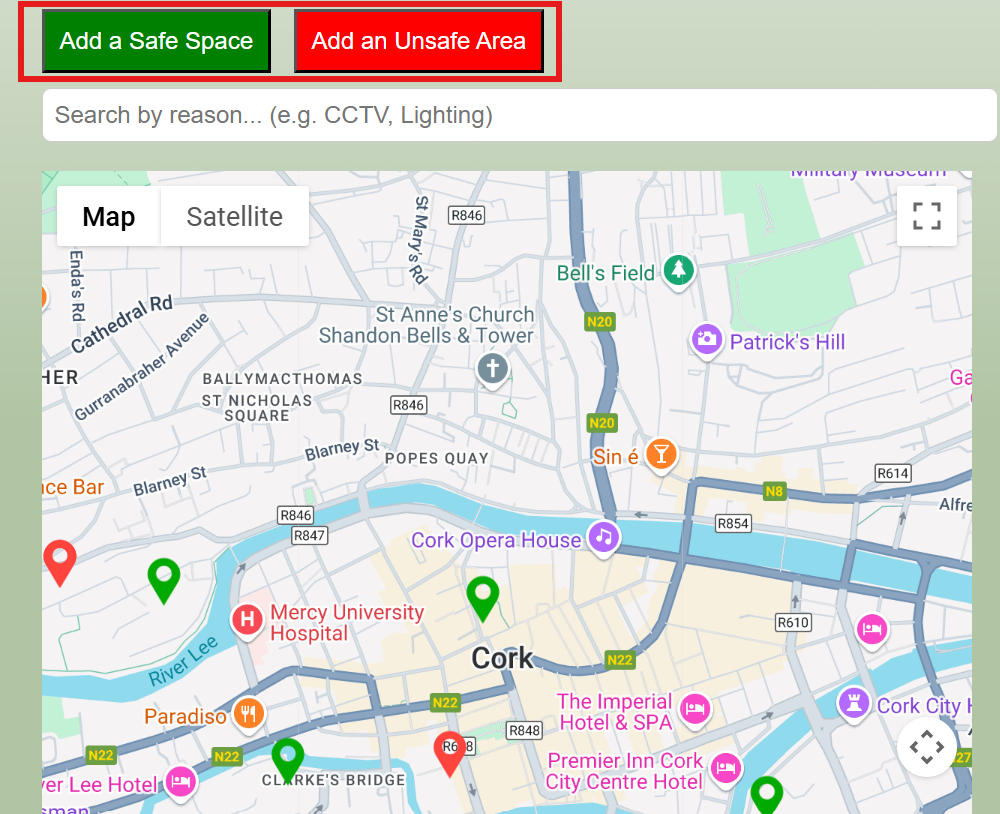
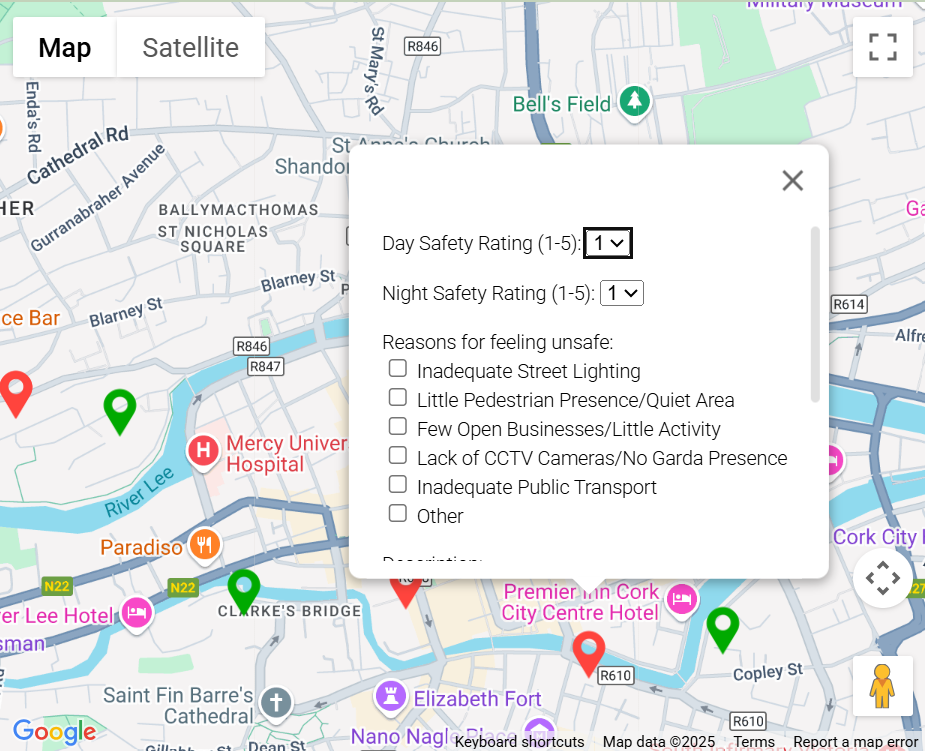
2.Once you have chosen a marker, click anywhere on the map to add it. When you do this, a list of questions will pop up about why you find this area to be safe or unsafe. (Only answer what you are comfortable with; any contribution to this project helps!)
Tip: We recommend making the map full screen to add markers to the map for optimal experience; this can be done using the ‘expand’ button in the top right corner of the map
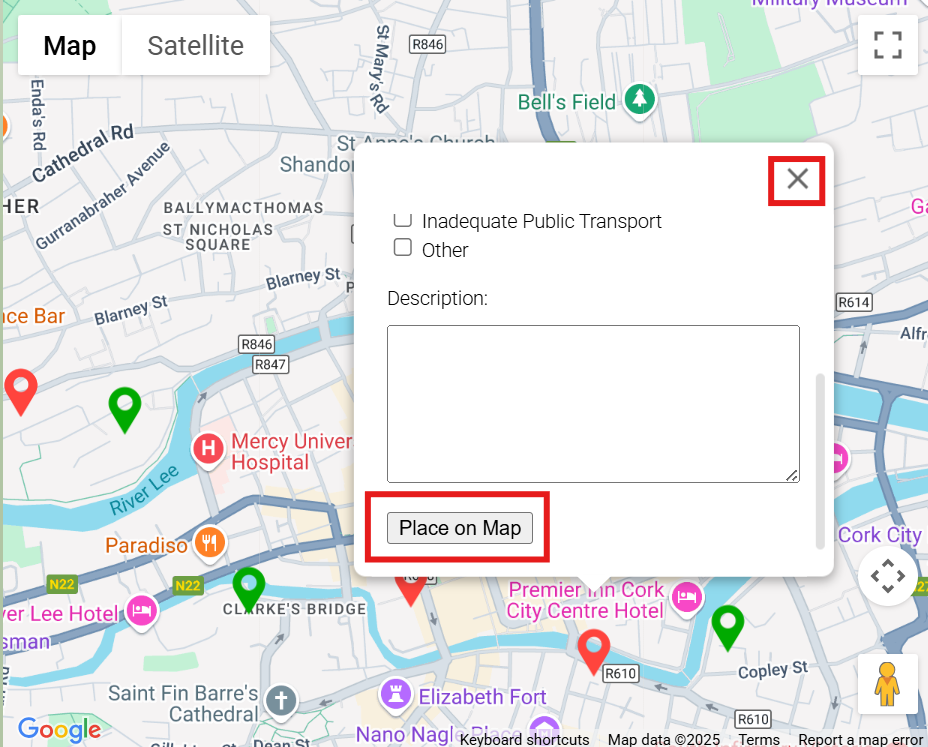
3. If you mis-clicked onto the map, you can select the ‘X’ in the top right corner of the form to delete the marker. If you are happy to place your marker, select ‘Place on Map’.
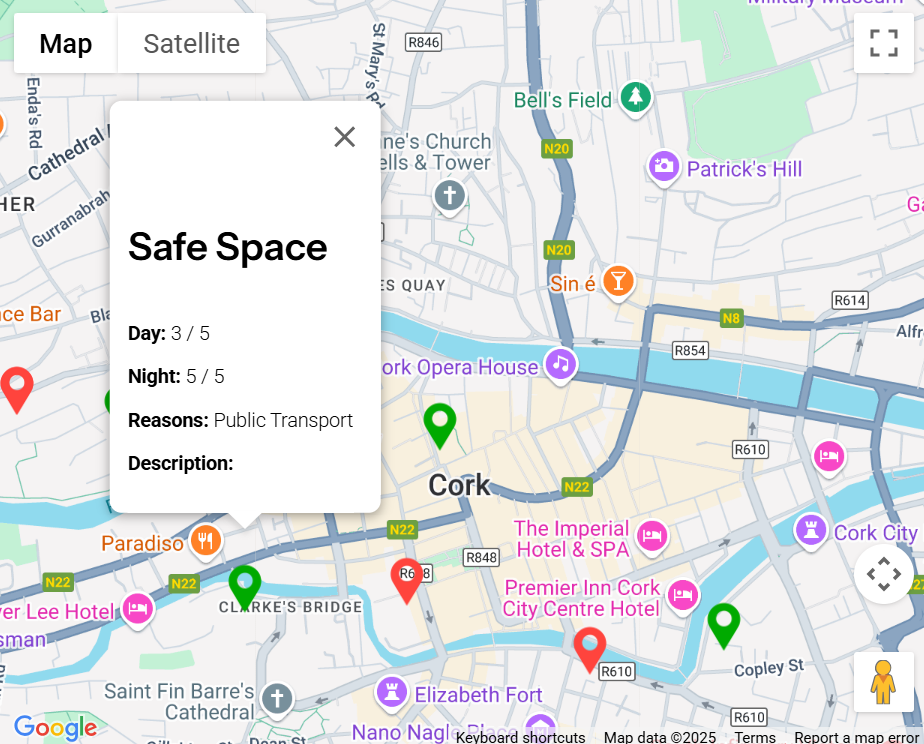
4. Once you’ve added a marker to the map, you can click on it again to view the information you provided. You can also click on other markers to see the information they’ve provided.
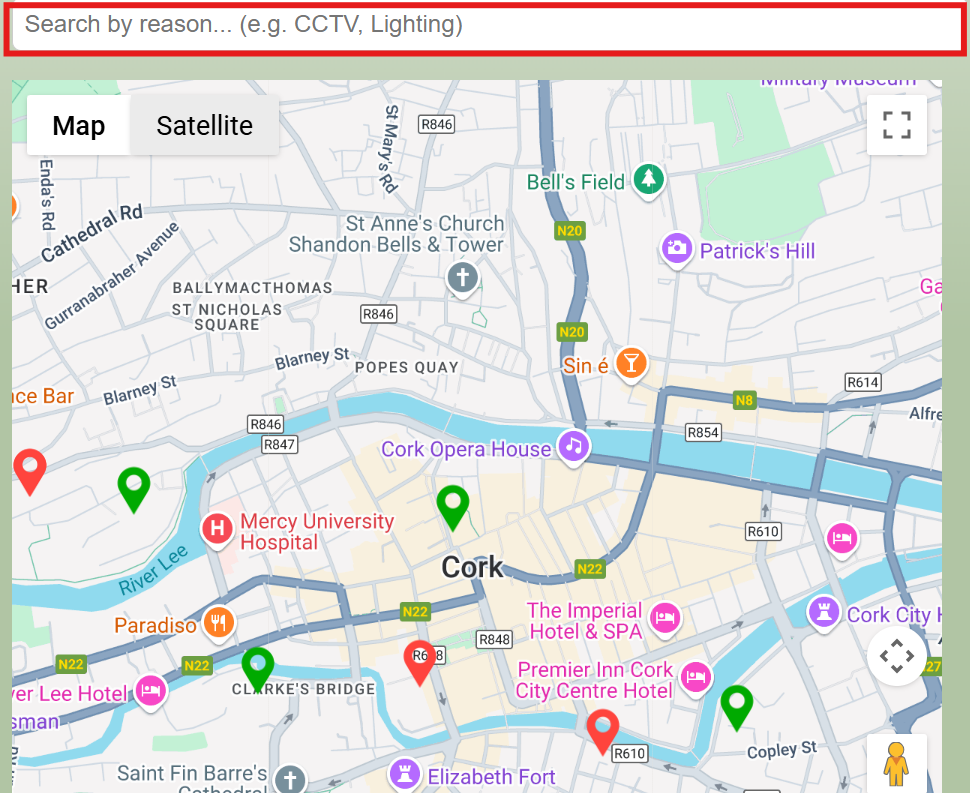
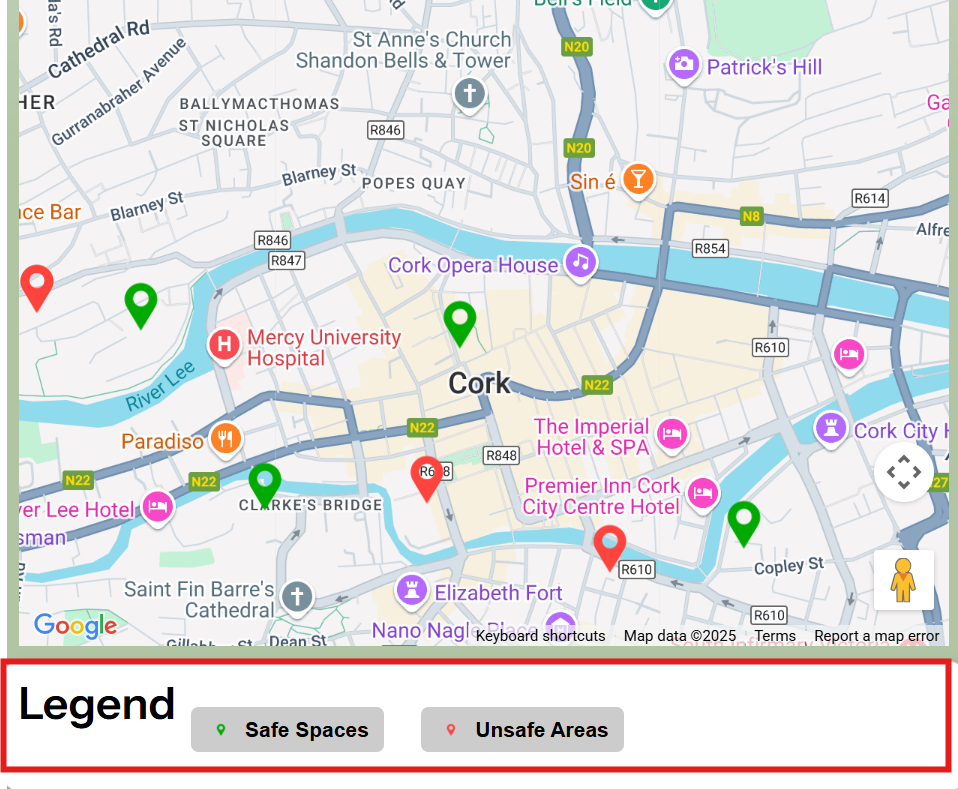
5. You can use the search bar above the map to filter the markers on the map to look for specific keywords for reasons given (e.g, Street Lighting). You can also use the legend underneath the map to only show ‘Safe Space’ or ‘Unsafe Area’ markers.